
🐍 Day 02 Python Variables: Understanding Assignment and References

If you're new to programming, you may have heard the word variable many times.
But what exactly is a variable?
Don't worry. The idea is much simpler than it sounds. Let's understand it with a few real-world examples and then see how Python actually handles variables.
📦 What Is a Variable?
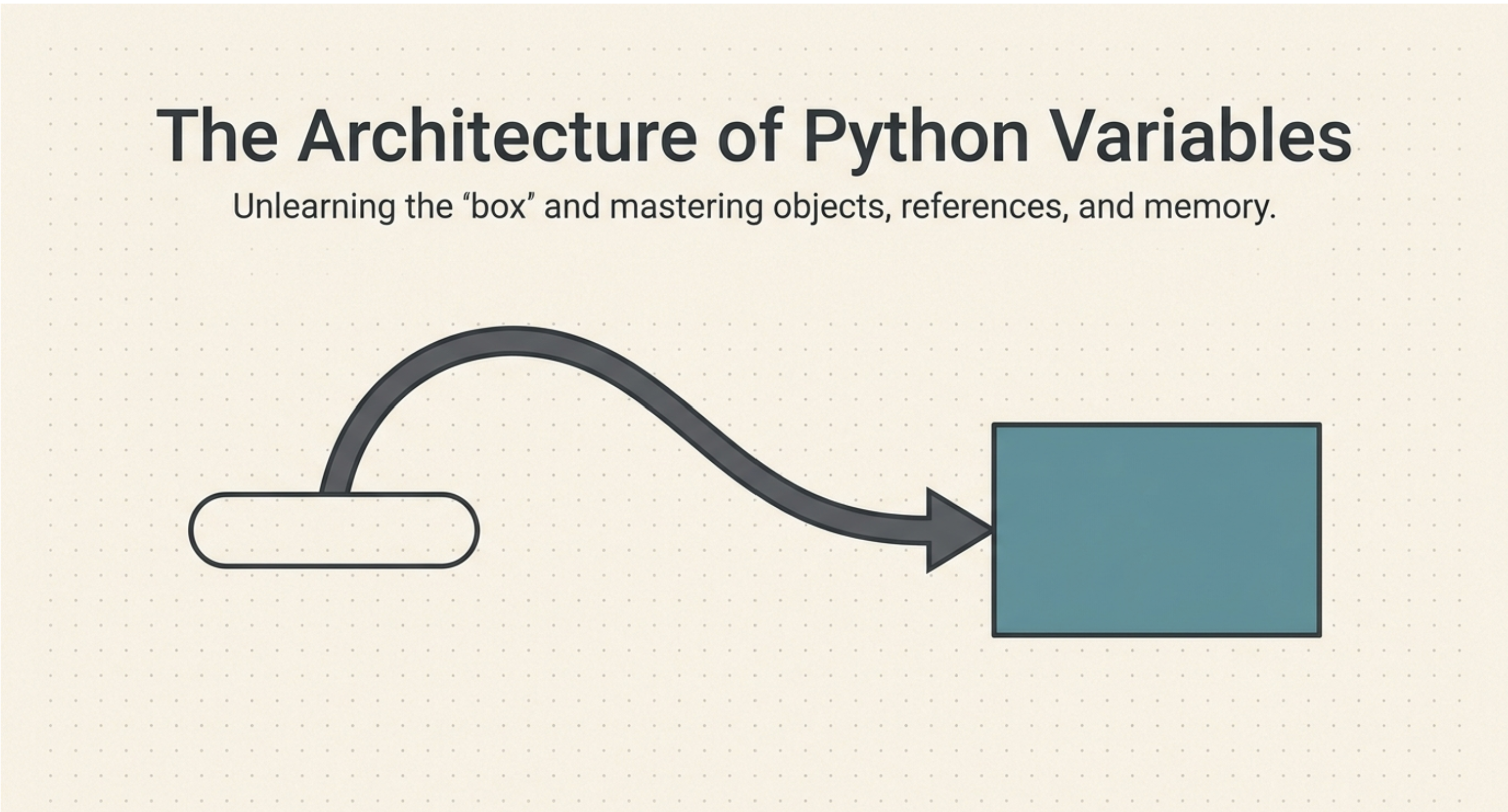
Imagine you have a box containing the number 10.
Now, let's give that box a name: x.
In Python, we can write:
x = 10
You can visualize this as:
10 ←── x
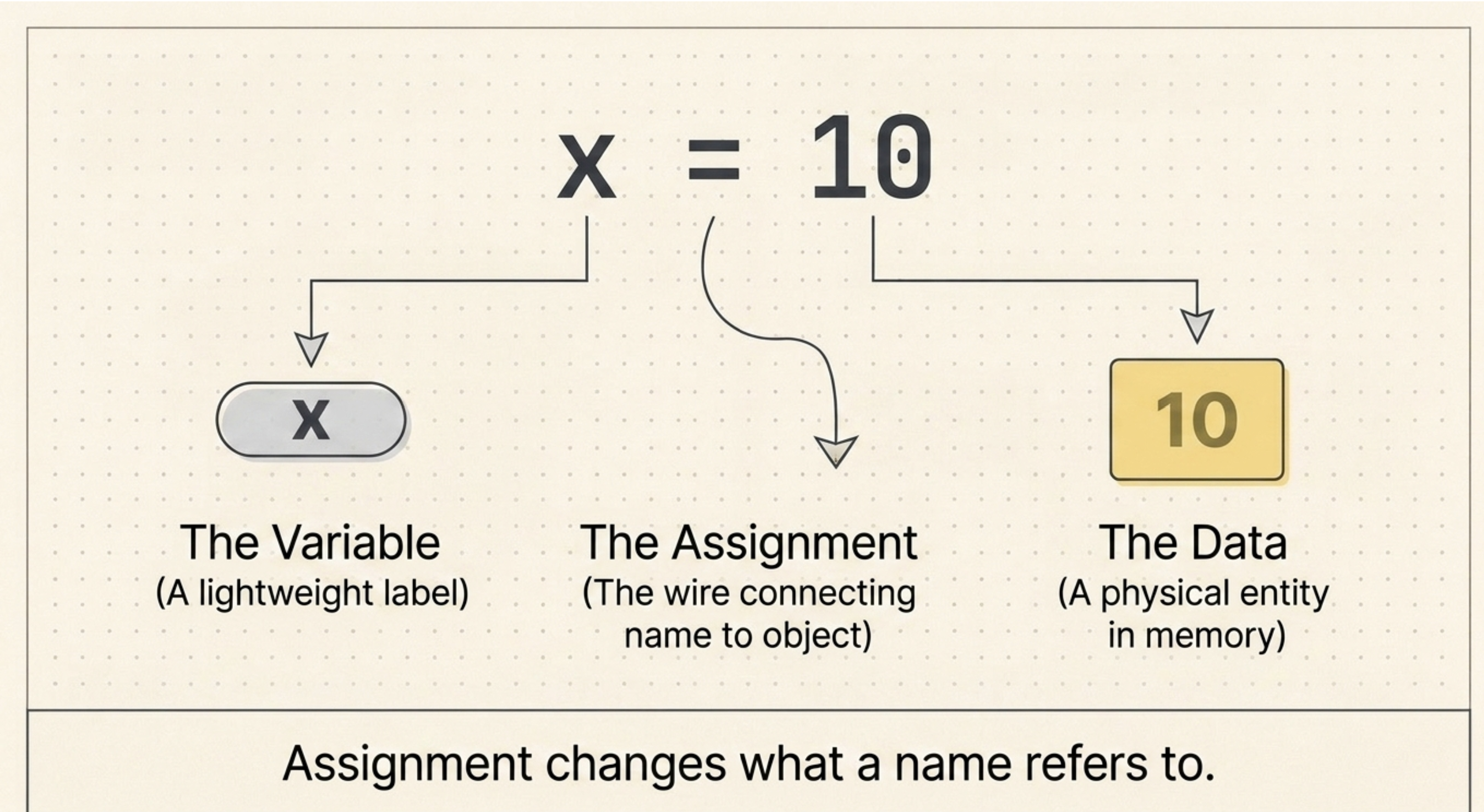
Here, 10 is the object, and x is the name that refers to that object.
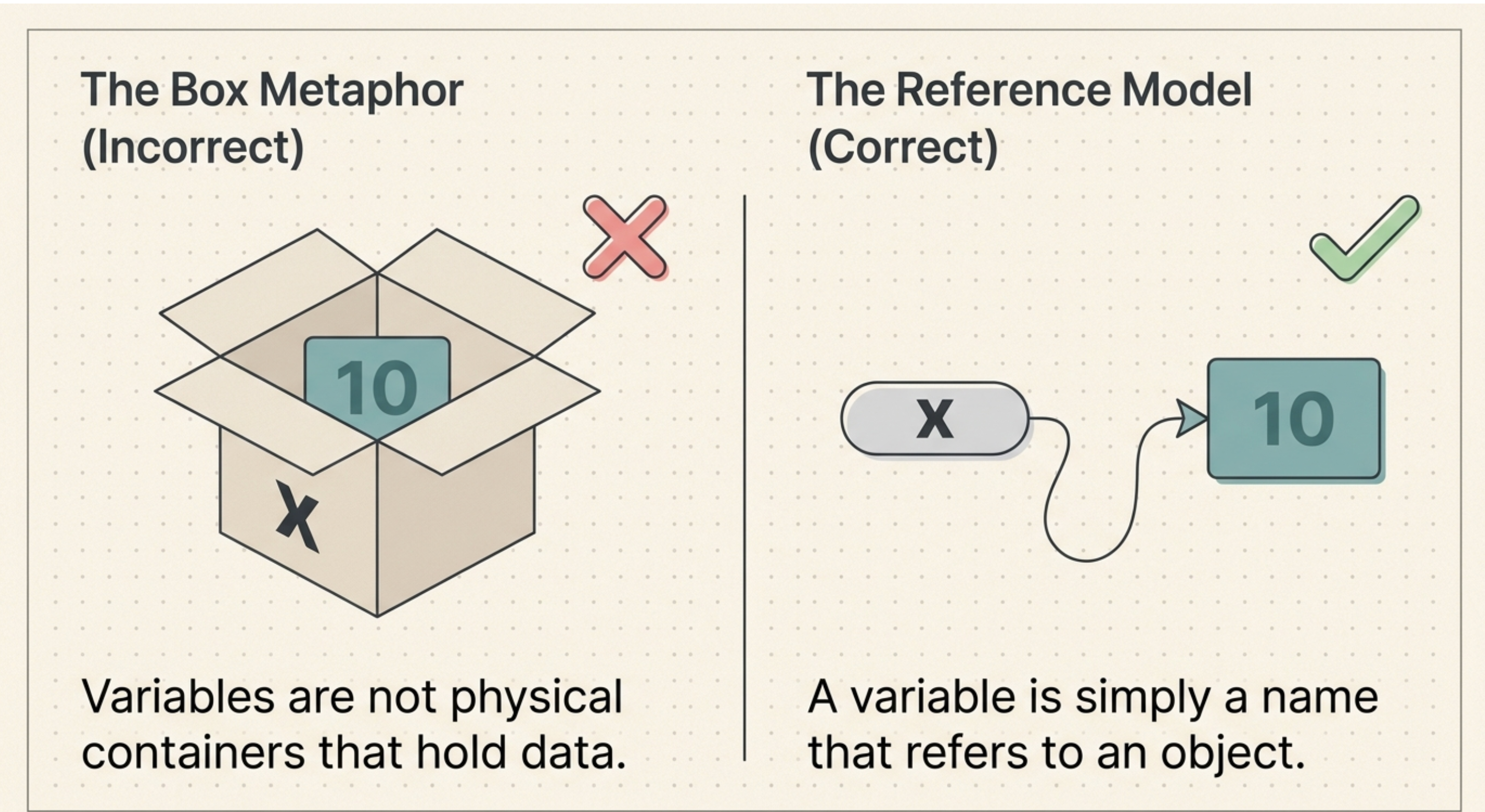
So, a simple way to remember it is:
A variable is a name that refers to an object.
This is slightly different from thinking of a variable as a physical box. Python variables are better understood as names or references to objects.
We can use Python's id() function to see the identity of the object:
x = 10
print(x)
print(id(x))
The output might look like:
10
140734123456
The exact id() number isn't important. It can vary between different runs and systems.
For now, just remember:
id()allows us to observe the identity of an object.
✍️ Rules for Naming Variables
Before creating variables, there are a few rules you need to know.
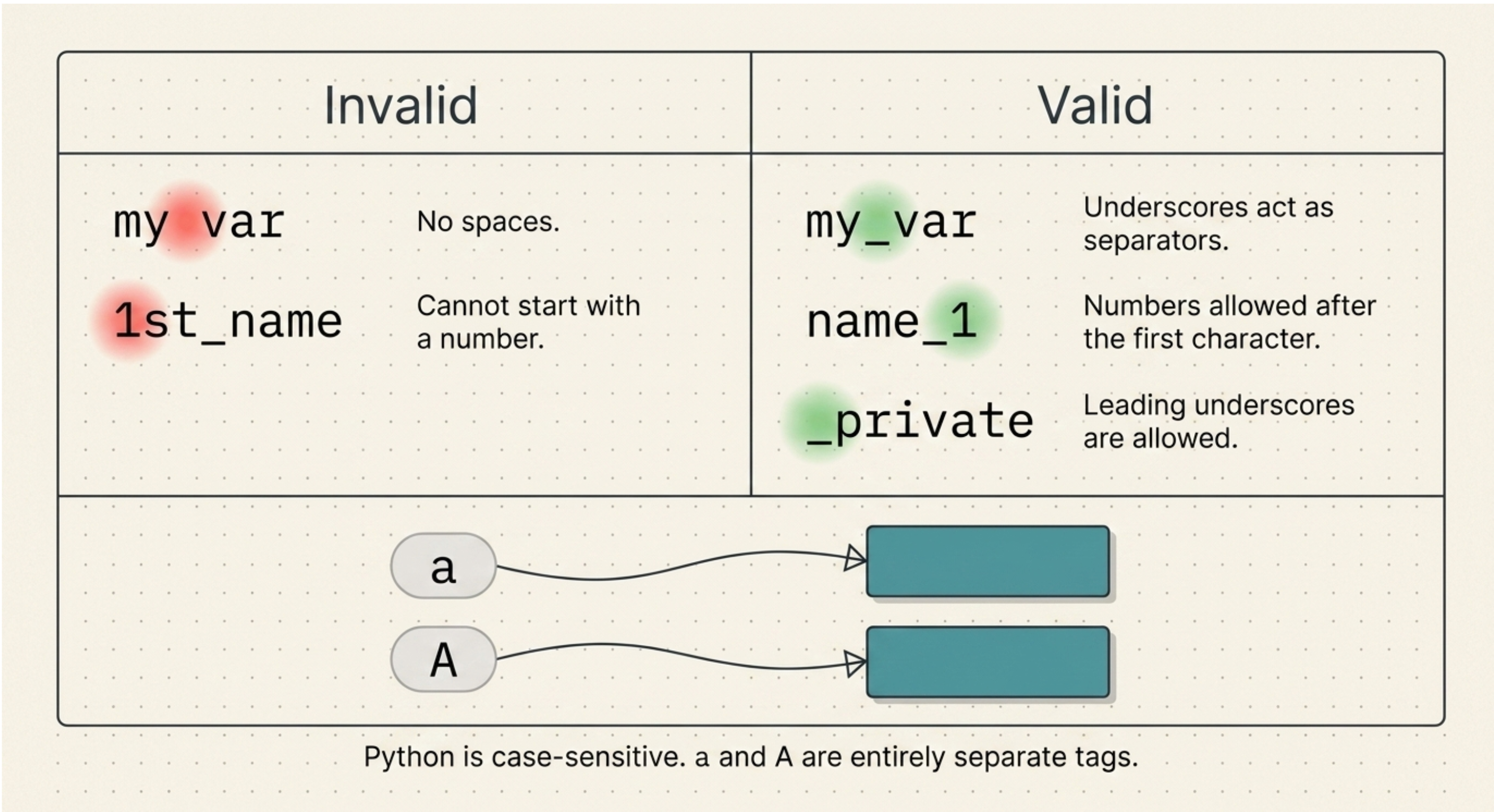
No spaces
Variable names cannot contain spaces.
❌ Invalid:
my name = "Akhil"
✅ Valid:
my_name = "Akhil"
An underscore _ can be used to separate words.
A variable cannot start with a number
❌ Invalid:
2name = "Akhil"
3value = 50
But numbers can appear after the first character:
name2 = "Akhil"
value3 = 50
student100 = "John"
So remember:
A variable name cannot start with a number, but numbers can appear later in the name.
A variable can start with an underscore
This is valid:
_name = "Akhil"
We'll learn more about Python's naming conventions and keywords later.
🔤 Python Variables Are Case-Sensitive
Python treats uppercase and lowercase letters as different.
For example:
a = 10
A = 50
print(a)
print(A)
Output:
10
50
Although a and A look similar, Python considers them two different names.
So:
a ≠ A
Keep this in mind when writing your programs.
🔄 What Happens When We Reassign a Variable?
Now let's look at something interesting.
Consider:
x = 10
print(x)
print(id(x))
We can visualize it as:
10 ←── x
The name x refers to the integer object 10.
Now let's write:
x = 20
print(x)
print(id(x))
The output will be:
20
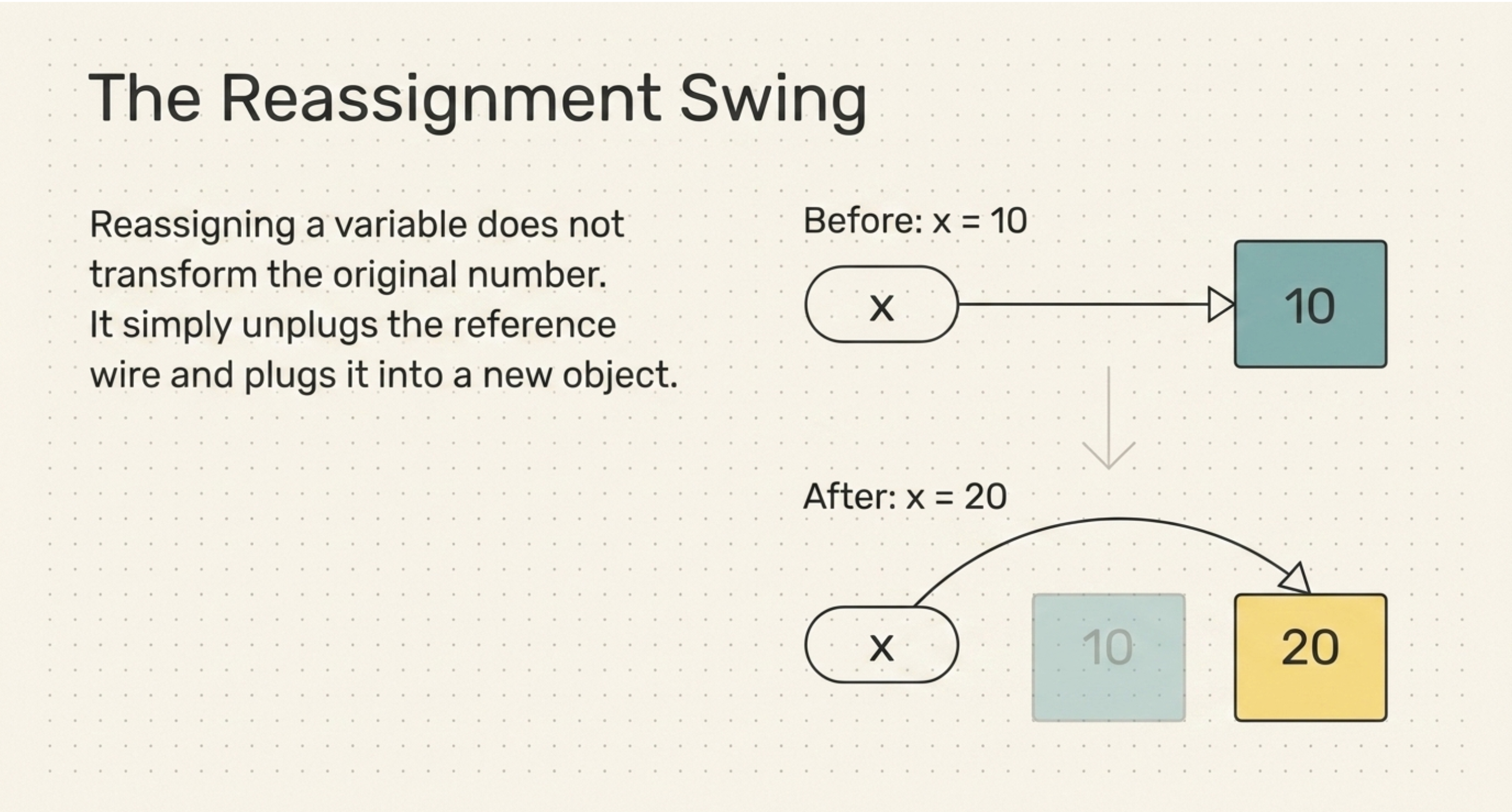
So what happened?
We reassigned the variable x.
Initially:
10 ←── x
After:
x = 20
the situation becomes:
20 ←── x
Notice that we didn't change the number 10 into 20.
Instead, we made the name x refer to another object.
This is an important idea:
Assignment changes what a name refers to.
🔎 Let's Look at the Object Identity
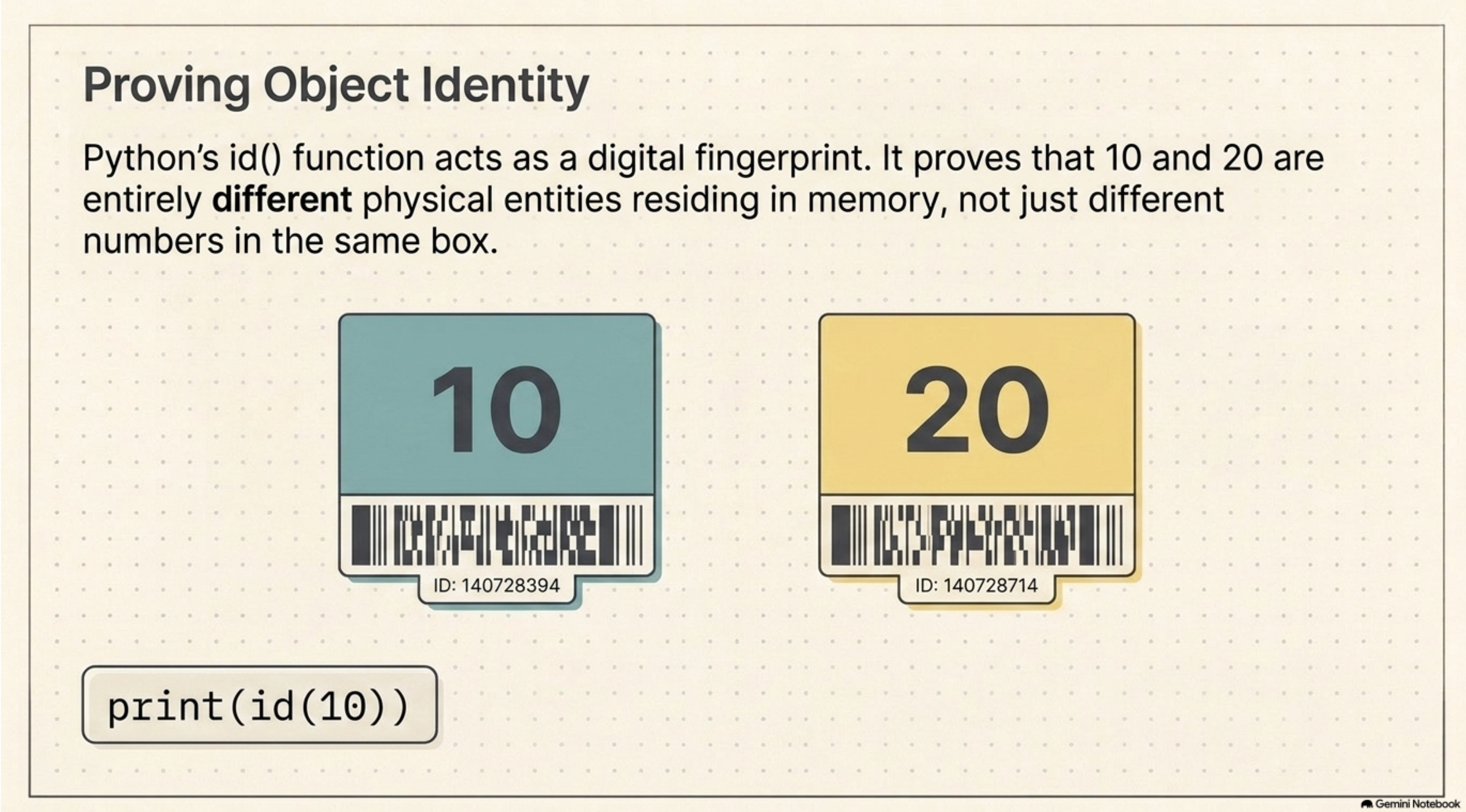
We can make this even clearer using id():
x = 10
id_10 = id(x)
x = 20
id_20 = id(x)
print(id_10)
print(id_20)
The two identity values will normally be different.
You can visualize it like this:
Before:
10 ←── x
After x = 20:
20 ←── x
So instead of saying:
"The address of
xchanged."
It is more accurate to say:
The object that
xrefers to changed.
🔗 Can Two Variables Refer to the Same Object?
Yes!
This is one of the most important things to understand about Python variables.
Consider:
x = 10
y = x
print(x)
print(y)
print(id(x))
print(id(y))
You will get:
10
10
same id
same id
Why?
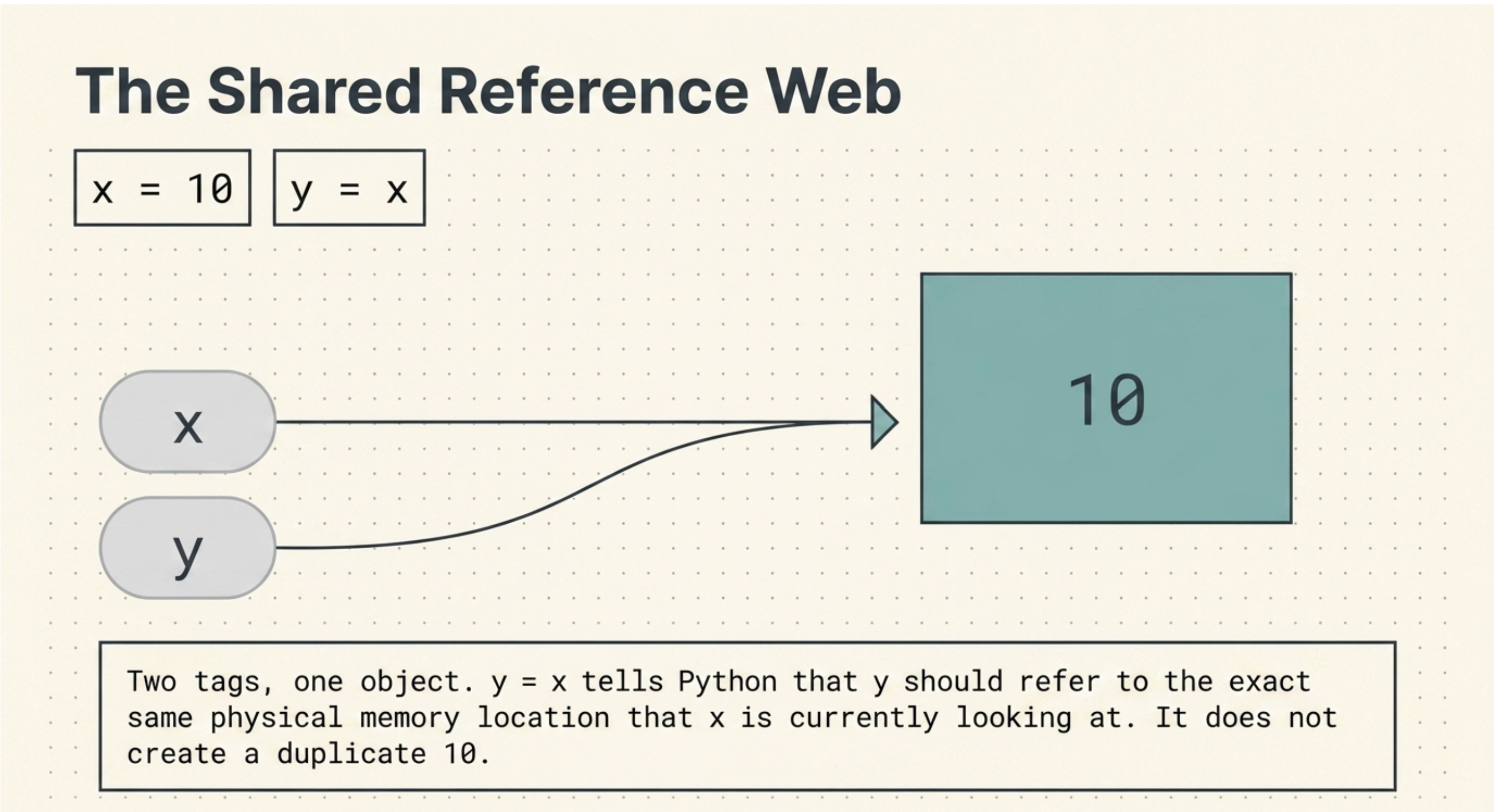
Because when we write:
y = x
we are telling Python that y should refer to the same object that x refers to.
We can visualize it like this:
10 ←── x
10 ←── y
There is one object, 10, and two names, x and y, referring to it.
This is not:
10 ←── x
10 ←── y
Instead, both names refer to the same object.
🔄 What Happens When We Reassign x?
Let's take the previous example:
x = 10
y = x
print("Before:")
print(x)
print(y)
print(id(x))
print(id(y))
x = 15
print("After:")
print(x)
print(y)
print(id(x))
print(id(y))
Before x = 15, we have:
10 ←── x
10 ←── y
Both x and y refer to the same object.
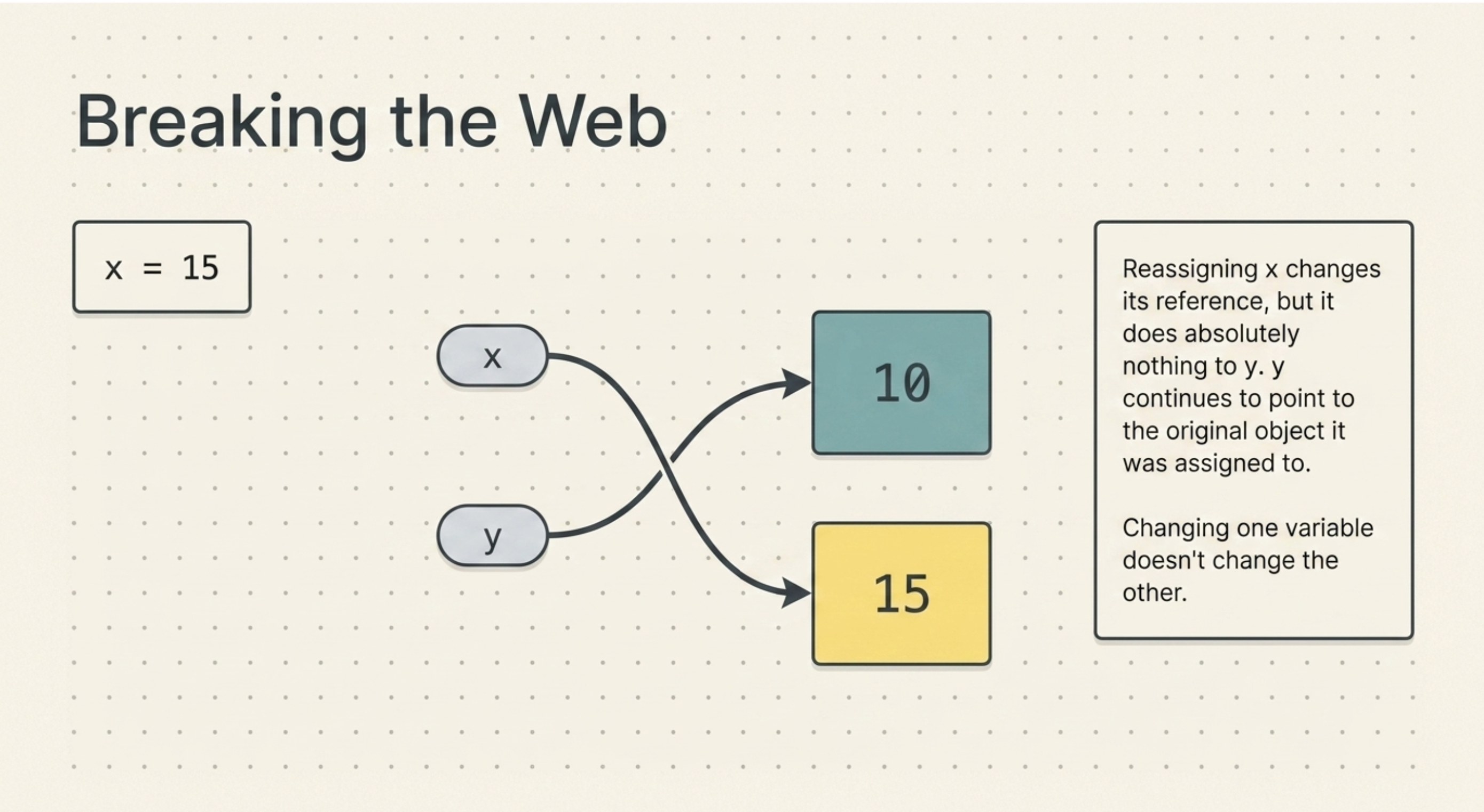
Now we execute:
x = 15
x is reassigned.
The new situation is:
10 ←── y
15 ←── x
Therefore:
x → 15
y → 10
The value of y did not change.
Why?
Because we didn't modify the object 10.
We simply changed what x refers to.
This is why reassigning one variable doesn't automatically change another variable that was previously referring to the same object.
🔁 What If We Reassign y?
Let's try the same thing with y:
x = 10
y = x
x = 15
y = 50
print(x)
print(y)
print(id(x))
print(id(y))
Output:
15
50
Let's follow it step by step.
Initially:
10 ←── x
10 ←── y
After:
x = 15
we have:
10 ←── y
15 ←── x
Then:
y = 50
reassigns y:
10
15 ←── x
50 ←── y
So:
x → 15
y → 50
Again, changing one variable doesn't change the other.
🔒 Why Does This Happen With Integers?
Now we come across an important Python concept:
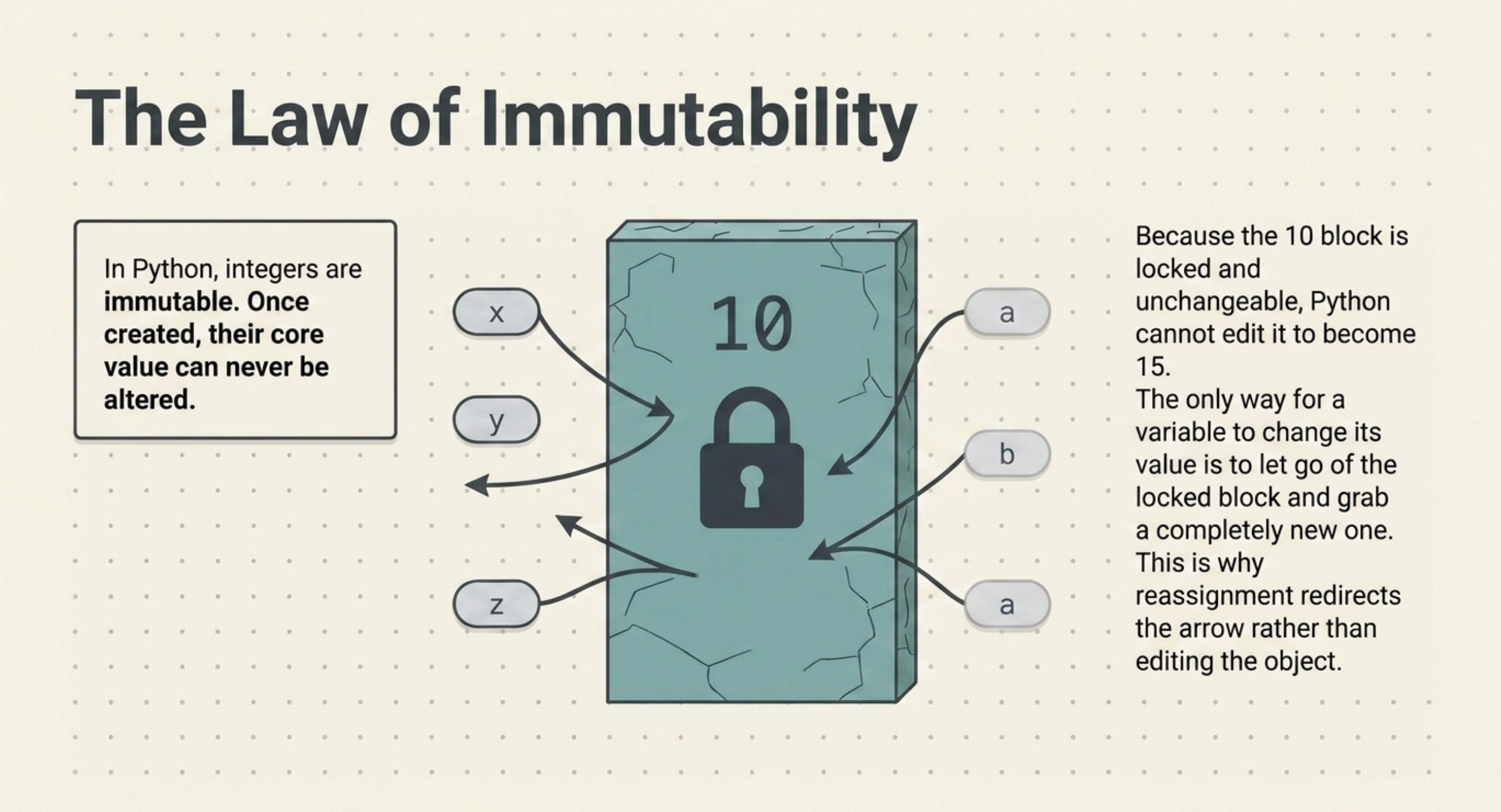
Immutability
Integers in Python are immutable.
That might sound complicated, but the idea is simple.
Immutable means that an existing integer object cannot be changed.
For example:
x = 10
y = x
We have:
10 ←── x
10 ←── y
Now suppose we write:
x = 15
Python doesn't change the existing 10 object into 15.
Instead, x is made to refer to another integer object:
10 ←── y
15 ←── x
The integer object 10 itself wasn't modified.
That's why y continues to refer to 10.
➕ What About x = x + 5?
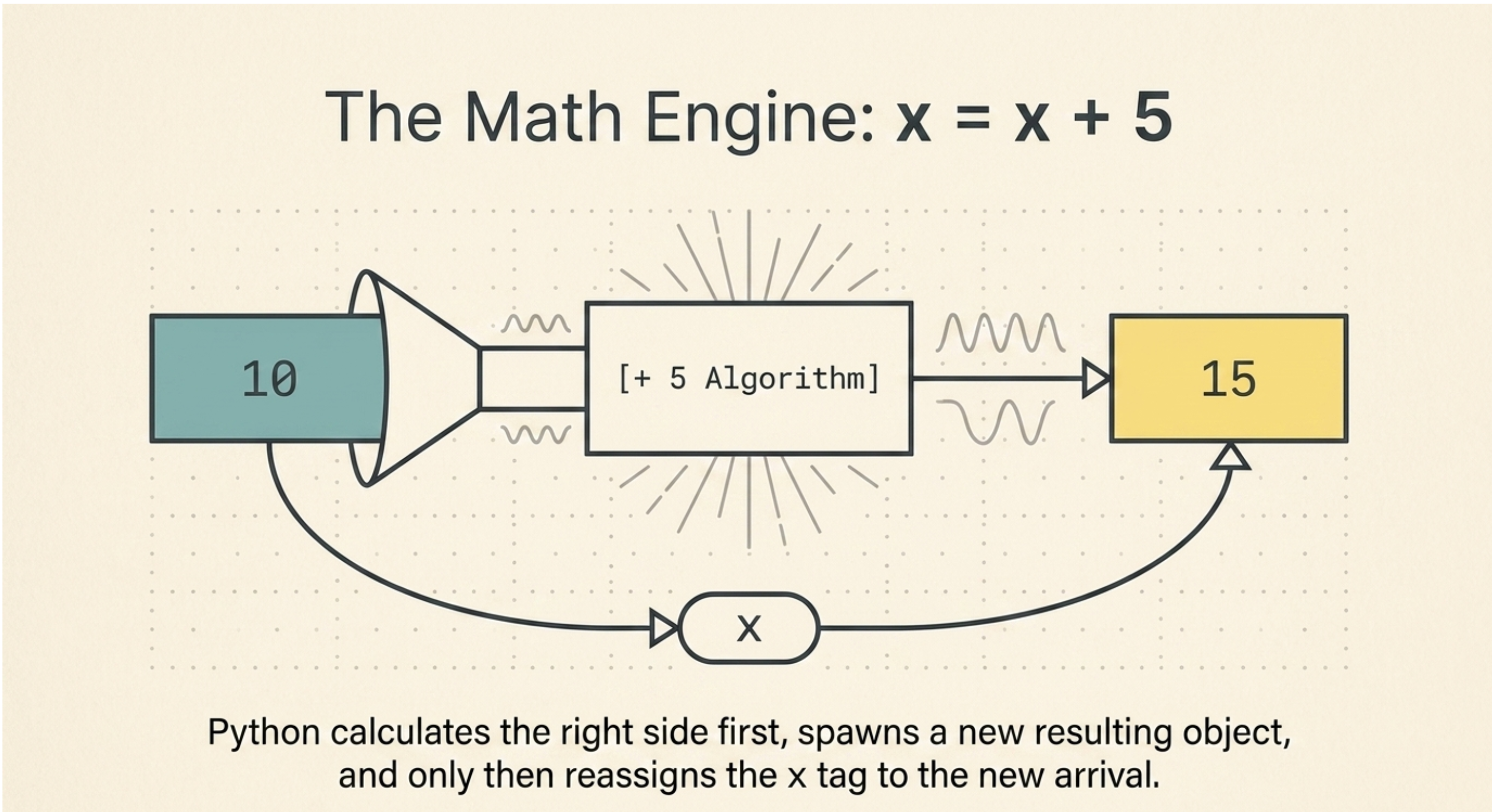
Here's another useful example:
x = 10
y = x
print("Before:")
print(x)
print(y)
print(id(x))
print(id(y))
x = x + 5
print("After:")
print(x)
print(y)
print(id(x))
print(id(y))
Let's understand this line:
x = x + 5
First, Python calculates:
10 + 5 = 15
Then x is reassigned to the resulting integer object 15.
Before:
10 ←── x
10 ←── y
After:
10 ←── y
15 ←── x
Therefore:
x → 15
y → 10
And their object identities are now different.
🧠 The Big Picture
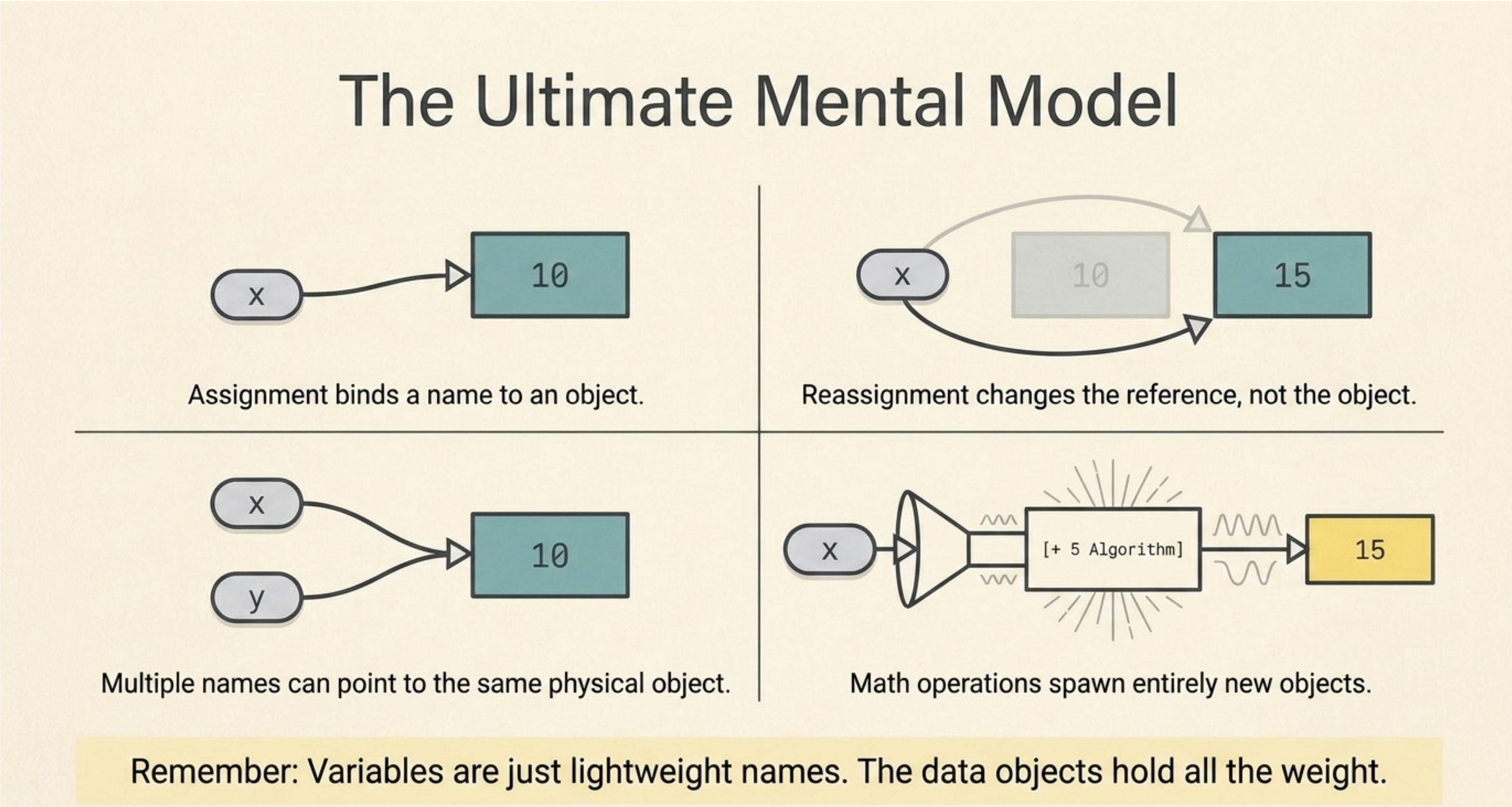
At this point, you should have a clear mental model of Python variables.
When we write:
x = 10
think:
10 ←── x
When we write:
y = x
think:
10 ←── x
10 ←── y
When we write:
x = 20
think:
10 ←── y
20 ←── x
And when we write:
y = 50
think:
10
20 ←── x
50 ←── y
This simple visualization makes Python's variable behavior much easier to understand.
📝 Variables in a Nutshell
Let's summarize everything we've learned:
A variable is a name that refers to an object.
=is used for assignment.Assigning a new value reassigns the variable.
Multiple variables can refer to the same object.
Reassigning one variable does not automatically change another variable.
id()allows us to observe an object's identity.Integers in Python are immutable.
x = x + 5results inxreferring to the resulting integer object.
The most important idea to remember is:
In Python, variables are names that refer to objects. Assignment changes what a name refers to; it does not change the object itself.
